What Is a Vector vs Raster? Key Differences Explained
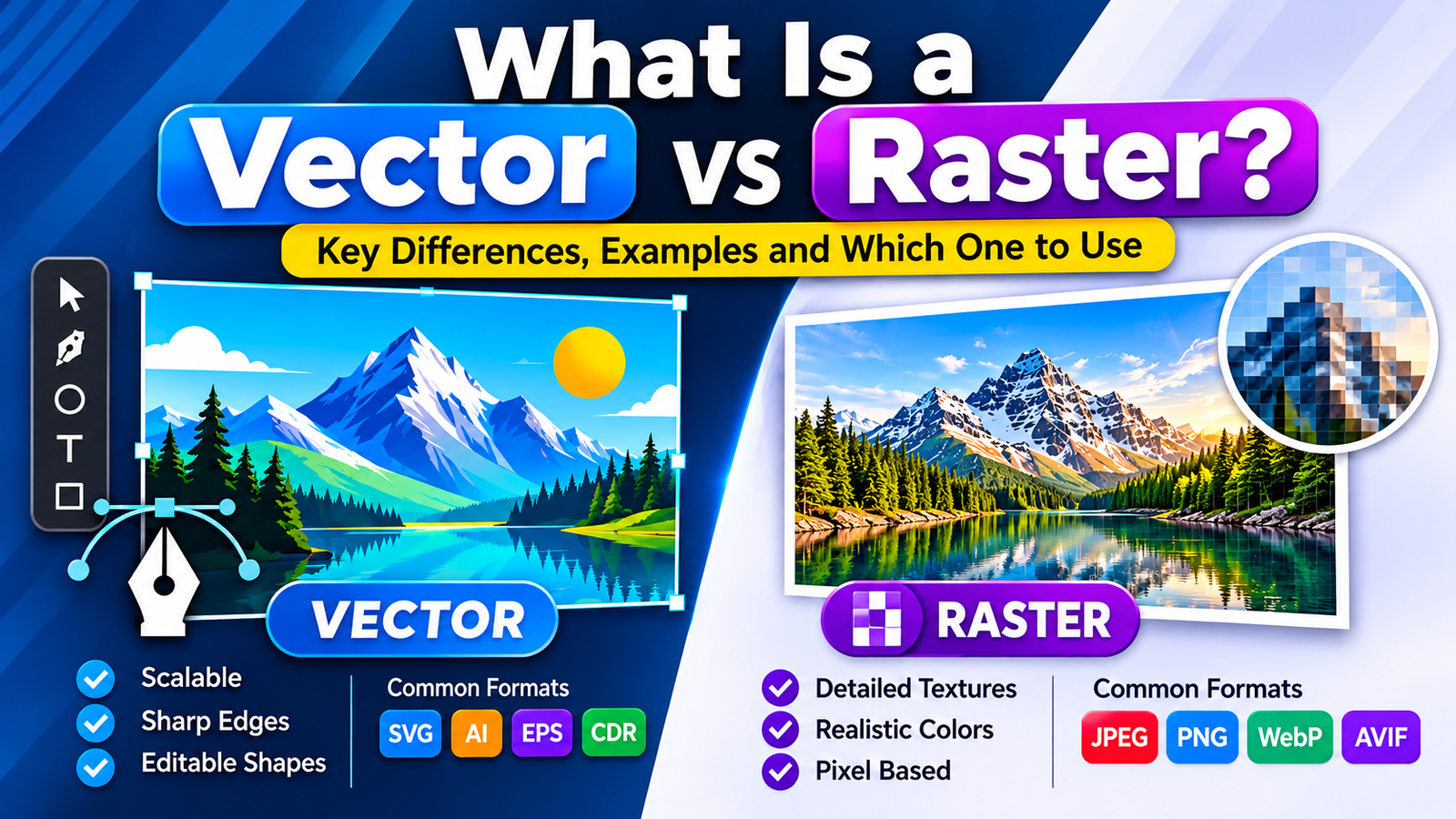
Understanding what is a vector vs raster helps you choose the right image format for websites, graphic design, logos, and printing. The main difference is how each image stores visual information: vector graphics use mathematical paths and shapes, while raster images consist of pixels.
What Is a Vector vs Raster Image?
What is a vector vs raster image? A raster image is made of a grid of pixels, so it can look blurry when enlarged. A vector image is made of mathematical paths, points, and curves, so it stays sharp at any size. Use raster for photos and vector for logos, icons, and illustrations.
Key takeaways
- Raster = pixels. Vector = mathematical paths.
- Raster is best for photographs and detailed images.
- Vector is best for logos, icons, and scalable graphics.
- Neither is better overall. The right choice depends on the project.
What Is a Raster Image?
A raster image (also called a bitmap) is a grid of tiny squares called pixels. Each pixel stores one color value, and together the pixels form the picture. Because the image has a fixed number of pixels, enlarging it beyond its original size can cause blurriness or visible pixelation.
- Common formats: JPEG, PNG, GIF, WebP, AVIF, TIFF, and BMP
- Best for: Photographs, product images, screenshots, and detailed digital art
- Common software: Adobe Photoshop and GIMP
What Is a Vector Image?
A vector image is built from points, lines, curves, and shapes defined by mathematical formulas. Since the image is recalculated rather than stretched, it can be scaled up or down without losing quality. This is called being resolution-independent.
- Common formats: SVG, AI, EPS, and CDR
- Best for: Logos, icons, illustrations, diagrams, and signage
- Common software: Adobe Illustrator, Inkscape, CorelDRAW, and Figma
Note: A PDF file can contain vector graphics, raster images, or both.

Vector vs Raster: Main Differences
| Feature | Vector | Raster |
|---|---|---|
| Made of | Paths and shapes | Pixels |
| Scaling | Stays sharp at any size | Can become blurry or pixelated |
| Best for | Logos, icons, illustrations | Photos, textures, screenshots |
| Detail level | Best for solid colors and clean shapes | Best for complex color and detail |
| Editing | Edit individual shapes and paths | Edit individual pixels |
| File size | Usually small for simple graphics | Grows with image dimensions |
| Common formats | SVG, AI, EPS | JPEG, PNG, WebP, AVIF |
Which One Should You Use?
Choose vector when you need:
- A logo that works on a business card and a billboard
- Icons and illustrations that stay crisp on any screen
- Artwork that will be resized or edited often
Choose raster when you need:
- Photographs or realistic images
- Images with complex color gradients and fine detail
- Screenshots and scanned material
Many projects use both. A brochure, for example, may combine a vector logo with a raster photo.
Vector vs Raster for Websites
- SVG is ideal for logos and icons because it is sharp on every screen size.
- WebP or AVIF are efficient choices for website photos.
- JPEG is widely supported for photographs.
- PNG is useful when you need transparency or lossless quality.
Choosing the right format helps pages load faster, but the image format alone does not guarantee better search rankings.
Vector vs Raster for Printing
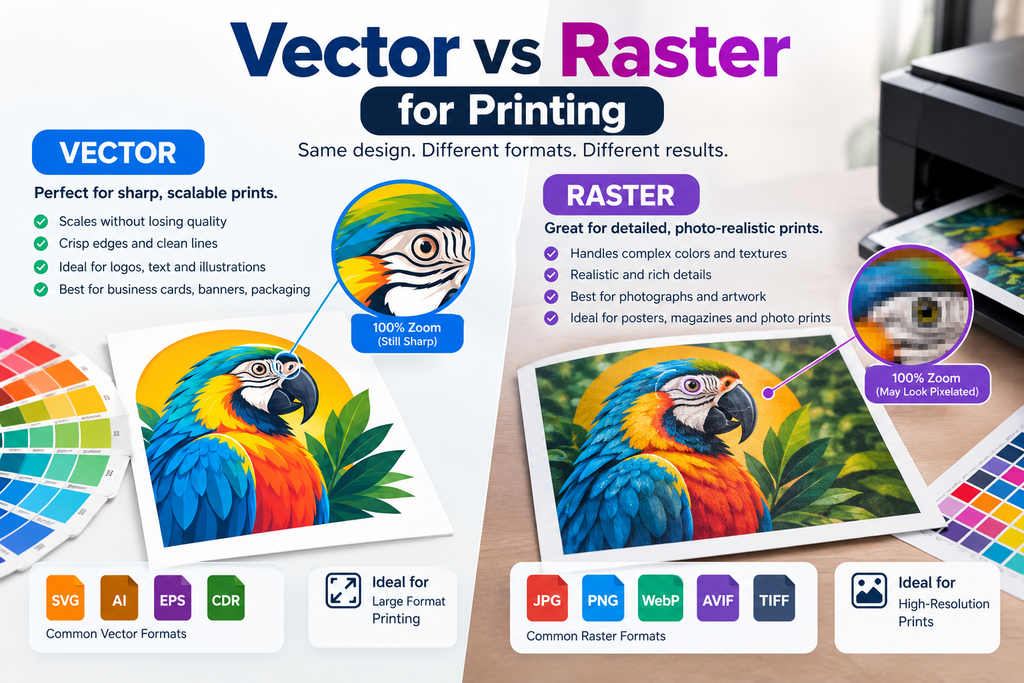
Vector files are usually preferred for logos and illustrations because they print sharply at any size. For raster photos, a common guideline is about 300 PPI at the final print size. Also remember that screens use RGB color, while most commercial printing uses CMYK, so check your printer’s file requirements.
How to Tell If an Image Is Vector or Raster
- Zoom in. A vector stays smooth, while a raster shows pixels.
- Check the file extension. SVG, AI, and EPS are usually vector. JPEG, PNG, and GIF are raster.
- Open it in an editor. Vector files show editable paths and anchor points.
Can You Convert Between Vector and Raster?
- Vector to raster: Easy. Export the file as PNG or JPEG at the pixel size you need.
- Raster to vector: Possible with image-tracing tools, but it works best on simple, high-contrast graphics. Photos do not convert well, and tracing cannot restore detail that the pixels never had.
Tip: When in doubt, keep a vector master file and export raster copies as needed.
FAQS
What is a vector vs raster image in simple words?
A raster image is made of pixels and can blur when enlarged. A vector image is made of mathematical paths and stays sharp at any size.
Is PNG vector or raster?
PNG is a raster format.
Is SVG vector or raster?
SVG is a vector format.
Is JPEG vector or raster?
JPEG is a raster format.
Which is better for logos, vector or raster?
Vector is generally better for logos because it scales to any size without losing quality.
Why do raster images look pixelated when enlarged?
A raster image has a fixed number of pixels. Enlarging it stretches those pixels, which makes edges look blocky or blurry.
Is a PDF vector or raster?
A PDF can be either, or both. It depends on what the file contains.
What is vector vs raster in GIS?
In GIS (mapping), vector data uses points, lines, and polygons, while raster data uses a grid of cells, such as satellite imagery.
Final Verdict
Use vector graphics for logos, icons, and artwork that must scale cleanly. Use raster images for photos and detailed visuals. If you are unsure, start with a vector master file and export raster versions for each use.