
8 Tech Ideas That Made the Web Move Quicker
The web has become faster, smoother, and more responsive than it was in its early days. Websites that once took several seconds to load can now display complex pages, images, and interactive features much more efficiently.
This improvement did not happen because of one invention. It came from several technologies that changed how data travels, how browsers process information, and how websites deliver content to visitors.
Here are 8 tech ideas that made the web move quicker, along with simple explanations of how each innovation improved the online experience.
1. Faster Internet Connections
The move from dial-up connections to broadband changed how people accessed the internet. Broadband offered higher data-transfer capacity, making it easier to load larger web pages, stream videos, and use online applications.
Fiber-optic networks and improved mobile connections took internet access further by providing faster and more reliable connectivity.
Why it matters: Faster connections allow users to receive website resources more quickly, although website design and server performance still affect loading speed.
2. Content Delivery Networks (CDNs)
A Content Delivery Network (CDN) stores copies of website resources on servers distributed across different locations.
When someone visits a website, a CDN can deliver eligible content from a nearby server instead of requiring every file to travel from the website’s original hosting location.
For example, a website hosted in the United States can serve images and other static resources to visitors in Europe through a closer CDN location.
How it helps: Reducing the distance between visitors and content can lower network delays and improve delivery speed.
3. Browser and Server Caching
Caching makes browsing faster by saving reusable website data instead of downloading or generating everything again.
Browser caching stores resources such as images, fonts, and stylesheets on a visitor’s device. Server caching can store prepared pages or database results so the server does not need to repeat the same work for every request.
Why is caching important?
It can reduce repeated downloads, server processing, and waiting time for returning visitors. However, cache settings must be managed carefully to avoid displaying outdated content.
4. Data Compression and Modern Image Formats
Large files take longer to transfer across a network. Compression reduces the amount of data that websites need to send to browsers.
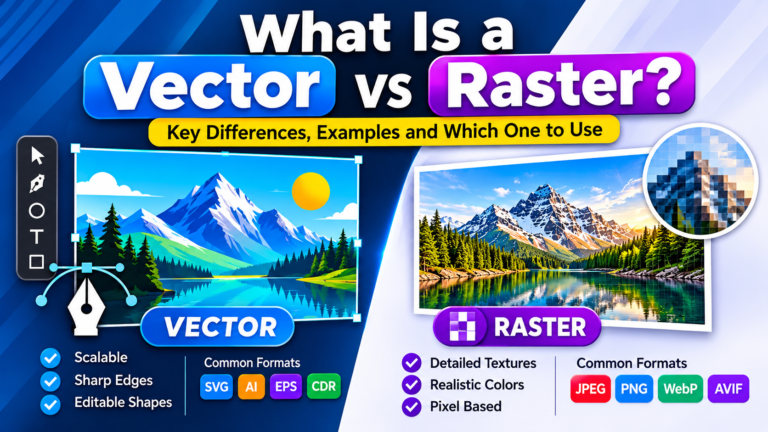
Technologies such as Gzip and Brotli compress text-based resources, including HTML, CSS, and JavaScript. Image formats such as WebP and AVIF can also reduce image file sizes while maintaining useful visual quality.
Responsive images allow browsers to select suitable image dimensions for different screens.
How it improves performance: Smaller resources generally require less bandwidth and can reach visitors more quickly.
5. HTTP/2 and HTTP/3 Protocols
HTTP is the communication protocol that allows browsers and web servers to exchange information.
HTTP/2 introduced multiplexing, allowing multiple request and response streams to share a connection. It also introduced header compression to reduce repeated data.
HTTP/3 uses QUIC as its transport protocol. It supports independent streams and can reduce certain connection delays, particularly in changing or unreliable network conditions.
Why does this matter?
Modern HTTP protocols make communication more efficient when browsers request multiple website resources. Their benefits still depend on network conditions and server configuration.
6. Smarter Browsers and Faster Rendering
A browser does more than download a website. It reads HTML, processes CSS, executes JavaScript, calculates page layouts, and displays content.
Modern browser engines have improved how these tasks are handled. Developers can also help browsers work more efficiently by reducing unnecessary code, specifying image dimensions, and prioritizing important page content.
For example, removing unused JavaScript can reduce the amount of code a browser needs to download and execute.
The result: Visitors can see important content sooner and experience smoother website interactions.
7. Asynchronous JavaScript and Lazy Loading
Modern websites often update specific parts of a page without reloading the entire document.
Asynchronous JavaScript allows suitable requests to run in the background. This supports features such as live search, product filters, and dynamic content updates.
Lazy loading serves certain resources, such as images below the visible screen area, when they are closer to being needed.
How do these techniques help?
They can reduce unnecessary initial downloads and make interactions feel more responsive. However, important content and the main image visible when a page opens should not be delayed unnecessarily.
8. Edge Computing and Service Workers
Edge computing allows selected application tasks to run on infrastructure closer to visitors rather than sending every request to a distant central server.
For example, an edge function may handle a redirect or process a lightweight request near the user.
Service workers provide another useful capability. They can manage selected network requests, cache resources, and support offline experiences for compatible websites and web applications.
Why are they useful?
Both technologies can reduce unnecessary network communication and help create faster, more reliable online experiences when implemented appropriately.
How Can You Make Your Website Faster Today?
You do not need every advanced technology to improve a website. Start by identifying the problems that affect your visitors most.
Consider these practical steps:
- Compress large images and use suitable modern formats.
- Remove unnecessary plugins and scripts.
- Enable appropriate browser and server caching.
- Use a reliable hosting provider.
- Consider a CDN if your audience is geographically distributed.
- Test mobile performance and review Core Web Vitals.
- Avoid delaying important visible content.
Google’s Core Web Vitals help website owners understand loading performance, responsiveness, and visual stability. These measurements include Largest Contentful Paint (LCP), Interaction to Next Paint (INP), and Cumulative Layout Shift (CLS).
FAQs
What technologies made the web faster?
Broadband, CDNs, caching, compression, modern HTTP protocols, improved browser engines, asynchronous JavaScript, and edge computing have all contributed to faster web experiences.
How do CDNs improve website speed?
CDNs distribute copies of eligible website resources across multiple locations. Visitors can receive cached files from a nearby server, potentially reducing network delays.
What is the difference between HTTP/2 and HTTP/3?
HTTP/2 uses multiplexed streams over a TCP connection, while HTTP/3 uses QUIC over UDP. Both improve how multiple requests are handled, but their transport mechanisms differ.
Does caching make a website load faster?
Caching can reduce repeated downloads and server processing by reusing stored resources. Its impact depends on the website and how caching is configured.
Which image formats help improve website performance?
WebP and AVIF can provide smaller image files than some traditional formats at comparable visual quality. The best choice depends on the image and browser support.
How can I check my website loading speed?
Google PageSpeed Insights can help you evaluate website performance and identify opportunities to improve loading, responsiveness, and visual stability.
Final Thoughts
The web became faster through a combination of better connectivity, smarter data delivery, efficient communication protocols, and improved browser technology.
These ideas continue to shape how websites and online applications work today. For website owners, the most useful lesson is to measure real performance, identify the biggest delays, and apply improvements that make browsing easier for visitors.