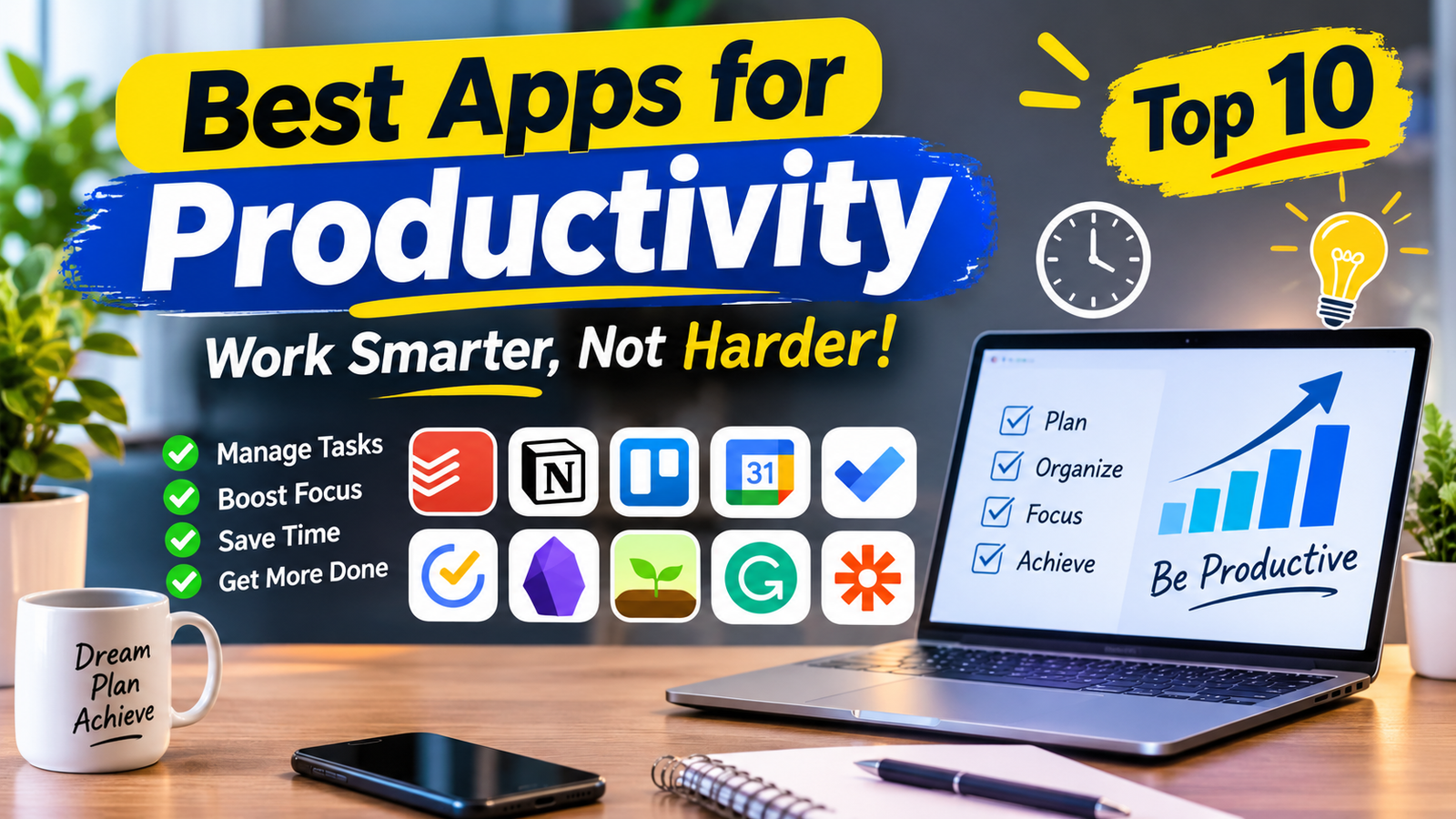
Best Apps for Productivity | 10 Tools to Work Smarter
Managing daily tasks, meeting deadlines, and staying focused can be challenging, especially when you have multiple responsibilities. The right productivity tools can make these activities easier by helping you organize work, manage time, and reduce distractions.
The best apps for productivity are not necessarily the ones with the most features. They are the ones that solve everyday problems without making your workflow more complicated.
Whether you are a student, freelancer, business owner, or remote worker, here are 10 useful productivity apps worth considering in 2026.
1. Todoist – Best for Task Management
Official Website: Todoist
Todoist helps users organize daily responsibilities through simple task lists and project management features.
Key Features:
- Create and organize tasks.
- Set deadlines and recurring reminders.
- Add priorities and labels.
- Manage personal and professional projects.
- Sync tasks across supported devices.
Best For: Students, freelancers, and professionals who need an organized task manager.
2. Notion – Best for Notes and Organization
Official Website: Notion
Notion combines note-taking, document creation, databases, and project organization in one workspace. Users can create personalized systems for managing information and tracking projects.
Key Features:
- Create notes and documents.
- Build project databases.
- Organize content using templates.
- Collaborate with team members.
- Manage personal and professional information.
Best For: Content creators, students, researchers, and small teams.
3. Trello – Best for Visual Project Management
Official Website: Trello
Trello uses boards and cards to help users organize projects visually. It makes it easier to understand which tasks are pending, in progress, or completed.
Key Features:
- Create project boards.
- Organize tasks using cards.
- Add deadlines and checklists.
- Share boards with team members.
- Track project progress.
Best For: Freelancers, bloggers, and teams managing multiple projects.
4. Google Calendar – Best for Time Management
Official Website: Google Calendar
Google Calendar helps users schedule appointments, meetings, and important deadlines. It provides a clear overview of daily and weekly commitments.
Key Features:
- Schedule meetings and events.
- Create recurring appointments.
- Set reminders.
- Share calendars.
- Manage personal and professional schedules.
Best For: Professionals, students, and remote workers.
5. Microsoft To Do – Best for Simple Daily Planning
Official Website: Microsoft To Do
Microsoft To Do is a straightforward task management app for organizing everyday responsibilities. It is particularly useful for people who prefer simple lists over complicated project management systems.
Key Features:
- Create daily task lists.
- Set reminders and due dates.
- Organize tasks into categories.
- Break larger tasks into smaller steps.
- Share supported lists.
Best For: Office workers and people who want a simple planning tool.
6. TickTick – Best for Daily Routines
Official Website: TickTick
TickTick combines task management with additional planning and focus features. It can help users manage responsibilities and maintain consistent daily routines.
Key Features:
- Create task lists.
- Set priorities and reminders.
- Organize schedules.
- Track habits.
- Use available focus tools.
Best For: People who want task management and routine tracking in one app.
7. Obsidian – Best for Note-Taking
Official Website: Obsidian
Obsidian is a knowledge management application that allows users to create and connect notes. It is especially useful for people who regularly collect research, ideas, and information.
Key Features:
- Create Markdown notes.
- Link related information.
- Organize notes into folders.
- Explore connections between ideas.
- Customize the experience with plugins.
Best For: Writers, researchers, developers, and students.
8. Forest – Best for Improving Focus
Official Website: Forest
Forest encourages users to concentrate on their work through timed focus sessions and a visual reward system. It can help people who frequently check their phones while studying or working.
Key Features:
- Start timed focus sessions.
- Build concentration habits.
- Track focus activity.
- Use a gamified productivity experience.
Best For: Students and people who struggle with phone distractions.
9. Grammarly – Best for Writing Assistance
Official Website: Grammarly
Grammarly helps users improve written communication by identifying grammar, spelling, and clarity issues. It is useful for emails, reports, articles, and professional documents.
Key Features:
- Grammar and spelling suggestions.
- Writing clarity improvements.
- Tone suggestions.
- Support for compatible applications and browsers.
Best For: Bloggers, students, and professionals who write regularly.
10. Zapier – Best for Workflow Automation
Official Website: Zapier
Zapier connects supported applications and automates repetitive tasks. Instead of manually transferring information between services, users can create workflows that perform specific actions automatically.
Key Features:
- Connect different applications.
- Automate repetitive tasks.
- Create workflows using triggers and actions.
- Transfer information between supported services.
Best For: Business owners, freelancers, and marketing teams.
How to Choose the Best Productivity Apps
Choosing the right application depends on your daily requirements. Before installing a new tool, identify the problem you want to solve.
- For task management: Todoist or Microsoft To Do.
- For notes and organization: Notion or Obsidian.
- For project management: Trello.
- For scheduling: Google Calendar.
- For focus: Forest.
- For writing: Grammarly.
- For automation: Zapier.
You do not need every application on this list. Start with one or two tools that address your biggest challenges.
Are Free Productivity Apps Enough?
Many productivity applications offer free plans with useful basic features. For personal task management, note-taking, and scheduling, free versions may be sufficient.
Paid subscriptions are worth considering when you need additional storage, advanced collaboration, automation, or other premium capabilities.
Always check the official pricing page because features and subscription limits can change.
FAQ
What are the best apps for productivity?
Todoist, Notion, Trello, Google Calendar, and Microsoft To Do are useful options for managing tasks, organizing information, and planning schedules.
What is the best free productivity app?
Google Calendar and Microsoft To Do are useful free starting points. Other applications also offer free plans with different limitations.
Which productivity apps are best for students?
Students can use Todoist for assignments, Google Calendar for schedules, and Notion or Obsidian for organizing study notes.
Can productivity apps improve time management?
Yes. They can help organize deadlines, schedule activities, and track responsibilities. However, consistent use and realistic planning are equally important.
Should I use multiple productivity apps?
You can combine different tools, but avoid using too many applications for the same purpose. A simple system is easier to maintain.
Final Thoughts
The best apps for productivity can help you manage responsibilities, organize information, and use your time more effectively. Todoist is useful for tasks, Notion for organization, Google Calendar for scheduling, and Forest for focus.
Instead of downloading every available tool, choose the applications that match your working style. A simple and consistent productivity system is often more effective than a complicated collection of apps.





2 Comments