
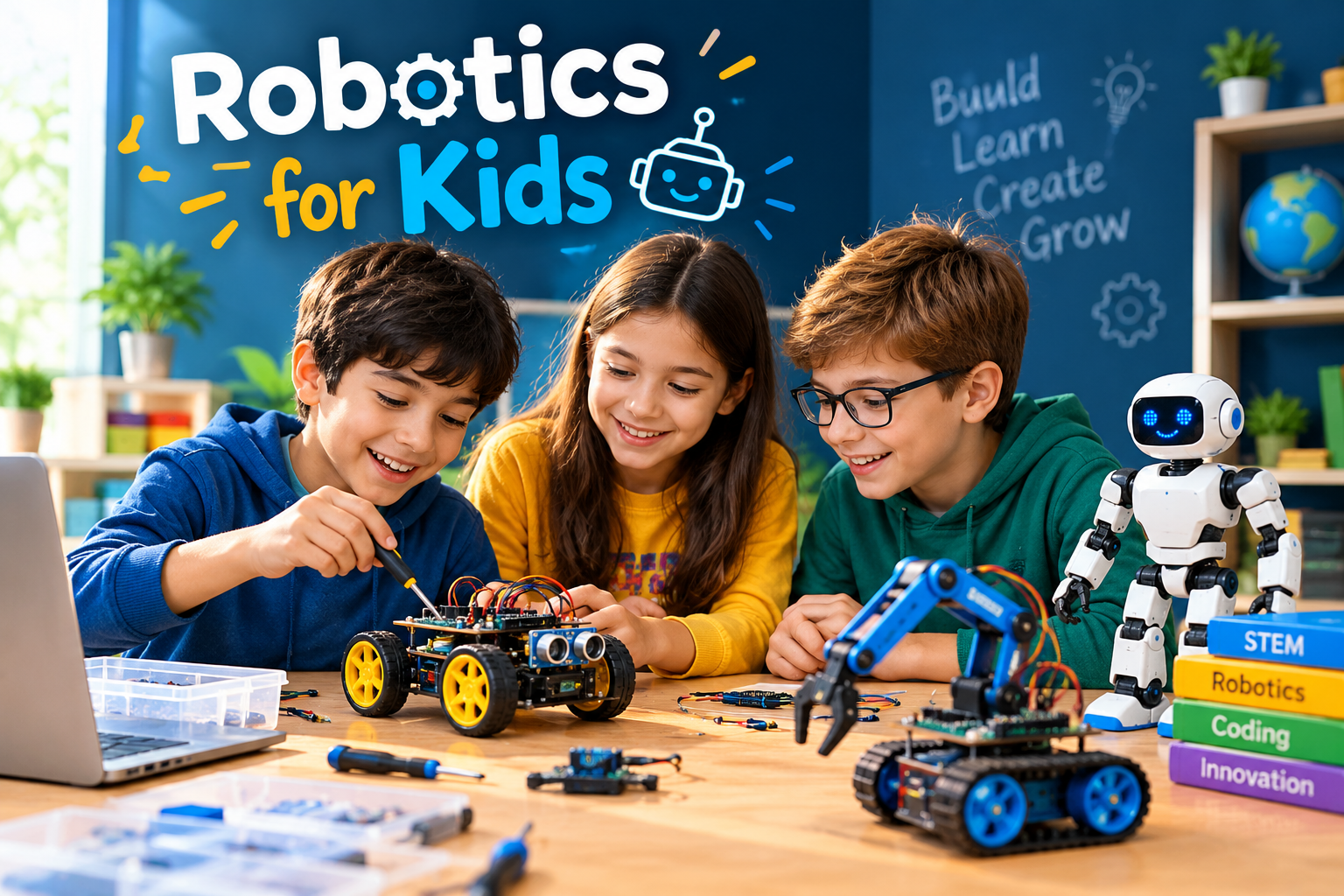
Robotics for Kids | A Beginner’s Guide to Projects, Coding, and STEM Learning
Technology is becoming part of everyday life, from smart home devices and automated machines to space exploration and artificial intelligence. For children who are curious about how these technologies work, robotics offers an engaging way to explore science, engineering, and computer programming through practical activities.
Robotics for kids combines building, problem-solving, creativity, and coding in a hands-on learning experience. Instead of simply using technology, children can learn to design simple machines, program movements, test ideas, and improve their creations.
The good news is that beginners do not need advanced mathematics, expensive equipment, or previous programming experience to get started. With age-appropriate activities and a gradual learning approach, parents and educators can help children discover robotics at home or in the classroom.
This guide explains how educational robotics works, what children can learn, which beginner projects to try, and how to choose suitable tools for different ages.
What Is Robotics for Kids?
Robotics for kids is an educational approach that introduces children to the design, construction, and programming of robots. It combines concepts from science, technology, engineering, and mathematics, commonly known as STEM education.
A robot can be a simple machine that follows programmed movements or a more advanced device that responds to information collected from its surroundings.
For example, a beginner might build a small robot car that moves forward, turns around an obstacle, or stops when it detects an object. These activities introduce engineering concepts in a way children can observe and understand.
Robotics learning can involve:
- Building models using mechanical parts.
- Connecting basic electronic components.
- Writing instructions through visual coding.
- Using sensors to detect changes in the environment.
- Testing designs and correcting mistakes.
- Working independently or collaborating on projects.
The objective is not necessarily to create a complicated robot. It is to help children understand how different components work together to solve a problem.
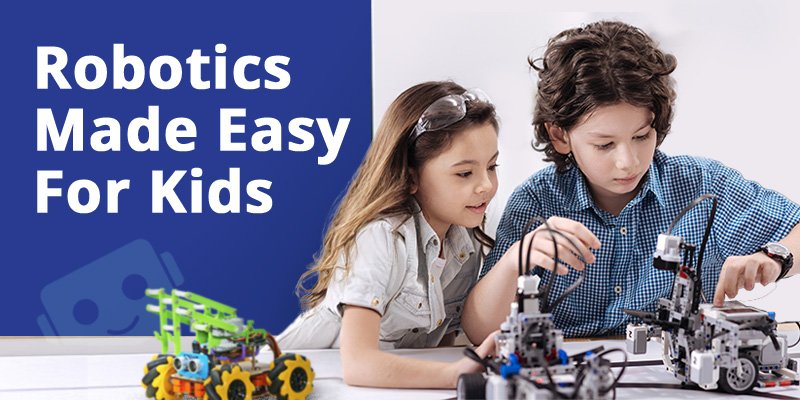
Why Is Robotics Important for Children?
Robotics can make abstract technical concepts easier to understand because children can see the results of their decisions. When a program makes a robot turn in the wrong direction, for instance, learners have an immediate reason to investigate the problem.
Develops Problem-Solving Skills
Building a robot involves identifying a goal, planning a solution, testing it, and making improvements. Children gradually learn to break larger challenges into smaller steps.
A simple task, such as guiding a robot through a maze, encourages them to consider different routes and adjust their instructions when something goes wrong.
Introduces Coding and Computational Thinking
Robots follow instructions. Children can learn to arrange commands in a logical sequence, repeat actions using loops, and make decisions with conditional statements.
These concepts form part of computational thinking and can provide a useful foundation for learning programming languages later.
Encourages Creativity and Design
Robotics allows children to turn their ideas into working models. They might design a robot that delivers small objects, creates patterns, or helps solve a classroom problem.
There is often more than one way to complete a project, giving young learners room to experiment and develop their own approaches.
Builds Persistence and Confidence
A robot may not work correctly on the first attempt. A loose connection, incorrect command, or poorly positioned sensor can prevent it from performing a task.
Finding and fixing these issues helps children understand that mistakes are part of the design process. Completing a project after several attempts can also build confidence.
Supports Teamwork and Communication
Group projects encourage children to share ideas, explain their reasoning, divide responsibilities, and compare different solutions.
These skills can be useful beyond robotics, including in school assignments and other collaborative activities.
Robotics does not guarantee better academic results or a particular career outcome. Its value depends on the quality of the learning experience, the child’s interests, and opportunities to practise.
How Does a Robot Work?
A useful starting point is to understand a robot as a system that receives information, processes instructions, and performs an action.
For example, a small obstacle-avoiding robot may detect an object, process the sensor reading, and activate its motors to change direction.
Five basic elements help explain this process.
Mechanical Structure
The mechanical structure forms the physical body of a robot. It may include a frame, wheels, gears, axles, joints, or a robotic arm.
Children can explore how different parts support movement, balance, and stability. Building a simple wheeled model is a practical way to begin.
Electronics and Control Boards
Electronic components supply power and allow different parts of the robot to communicate. Depending on the project, these may include wires, battery holders, circuit boards, LEDs, and a microcontroller.
Beginners can start with low-voltage educational components and preassembled connections before progressing to more complex circuits.
Programming and Instructions
Programming tells a robot what to do. A sequence of commands might instruct a robot to move forward, pause, turn, and repeat the process.
Many beginner platforms use block-based programming, in which children arrange visual commands rather than typing every instruction. More experienced learners can gradually explore text-based languages such as Python.
Sensors and Input
Sensors help a robot collect information about its surroundings. Different sensors can detect distance, light, touch, sound, or other measurable conditions.
For example, a distance sensor can help a robot identify an obstacle, while a light sensor can be used in a project that responds to changes in brightness.
Motors and Outputs
Motors and other output devices allow a robot to carry out instructions. Motors can rotate wheels or move an arm, while LEDs and buzzers can provide visual or audible feedback.
When children understand how the mechanical parts, electronics, programming, sensors, and outputs interact, they can begin creating more capable projects.
How to Introduce Robotics to Kids
A successful introduction should start with simple activities and progress as a child’s skills develop. There is no need to purchase advanced equipment immediately.
Explore Robots in Everyday Life
Begin by asking children where they have seen machines perform tasks automatically. Examples include robotic vacuum cleaners, automated factory equipment, and machines used to explore space.
Discuss what each machine does, what information it might need, and how it could be controlled.
This creates a connection between familiar experiences and the principles behind robotics.
Choose a Suitable Starting Activity
Select an activity based on the child’s age, coordination, reading ability, and interests.
Younger learners may enjoy sequencing movement commands for a simple educational robot. Older beginners might prefer assembling a small robot car or experimenting with a programmable circuit board.
The best starting activity is one the child can understand without becoming overwhelmed.Build a Simple Model
Let children assemble a basic structure using age-appropriate construction pieces or a beginner robotics kit.
Explain the purpose of the frame, wheels, and other components as they work. Encourage them to predict how changing the position of a wheel or moving a component might affect the result.
Allow room for experimentation instead of requiring every model to follow a single design.
Introduce Visual Programming
Once the physical model is ready, demonstrate how instructions control its actions.
A first program might tell a robot to move forward for a short period and then turn. Children can change the order of commands and observe what happens.
As their understanding develops, introduce concepts such as:
- Sequences: putting commands in the correct order.
- Loops: repeating a set of instructions.
- Conditions: responding when a particular situation occurs.
- Debugging: finding and correcting problems in a program.
Add a Small Challenge
Give the child a clear objective, such as moving the robot between two points or stopping before reaching an obstacle.
Avoid explaining every step of the solution. Ask questions that help the learner think through the problem and choose an approach.
If the robot fails, encourage the child to inspect the instructions and physical setup before trying again.
Best Robotics Activities for Kids at Different Ages
Age ranges are useful starting points, not strict rules. A child’s experience, interests, and developmental needs should guide the difficulty of each activity.
Robotics Activities for Ages 4–6
At this stage, focus on play, simple sequencing, and cause and effect.
Suitable activities include:
- Giving directional commands to a simple floor robot.
- Arranging picture cards to represent a sequence of actions.
- Building a basic robot shape with large construction pieces.
- Creating an obstacle path and planning how to navigate it.
Keep instructions short and provide supervision when activities involve small parts or electronic equipment.
Robotics Projects for Ages 7–10
Children in this age group may be ready to explore beginner programming, simple mechanisms, and more structured challenges.
Possible projects include:
- Building a small robot car.
- Programming a robot to follow a sequence of movements.
- Creating a basic traffic-light model with LEDs.
- Using a sensor to detect an obstacle.
- Designing a robot that moves an object from one location to another.
These projects introduce logical reasoning and provide opportunities to test different solutions.
Easy Robotics Projects for Beginners
Practical projects help children apply concepts instead of only reading about them. The following ideas can be adapted to different skill levels.
A Programmable Robot Car
Goal: Make a small robot travel along a simple route.
What children learn: Movement commands, sequencing, motor control, and basic debugging.
Start with a suitable educational robot car and a short path marked on the floor. Program the robot to move between two points, then adjust the commands to improve its accuracy.
An Obstacle Detection Robot
Goal: Make a robot respond when an object is nearby.
What children learn: Sensor input, conditional logic, and cause and effect.
Using a compatible distance sensor, program the robot to stop or turn when an obstacle is detected. Explain that the response depends on the sensor reading and the conditions defined in the program.
A Simple Electronic Traffic Light
Goal: Create a model traffic light with changing LED signals.
What children learn: Sequencing, timing, outputs, and basic electronics.
Use an age-appropriate educational circuit or beginner microcontroller kit. Program the lights to change in a planned sequence and discuss why timing matters.
A Light-Responsive Model
Goal: Make a model respond to a change in light.
What children learn: Sensor readings, conditions, and automated responses.
With a compatible light sensor and LED, create a simple demonstration that changes the LED state when the measured light level crosses a chosen threshold.
These projects should use equipment appropriate to the child’s age and experience. Young learners should work under suitable adult supervision.
How to Choose the Right Robotics Kit for Kids
The best robotics kit is not necessarily the one with the most components or advanced features. It is the one that matches the learner’s current skills and offers a clear path to more challenging activities.
Consider the Child’s Age and Experience
Check the manufacturer’s recommended age range, required reading skills, assembly difficulty, and supervision guidance.
A complete beginner may benefit from a kit with straightforward instructions, while a child who already understands basic coding may prefer programmable hardware and additional sensors.
Check the Programming Platform
Look for a platform that provides understandable instructions, beginner tutorials, and projects that gradually increase in difficulty.
Block-based programming can help younger learners understand logic visually. Older children may appreciate a kit that supports progression to text-based coding.
Review the Hardware and Expansion Options
Consider whether the kit includes the components needed for the intended projects. Check compatibility before purchasing extra motors, sensors, controllers, or accessories.
Also consider whether replacement parts and learning resources are readily available.
Free Resources for Learning Robotics and Coding
Families do not always need to buy a complete robotics kit before exploring the subject. Online learning resources can help children understand programming and computational thinking.
- Scratch: A visual programming platform that helps learners create interactive stories, animations, and games. It is useful for learning programming concepts before connecting code to physical robots. Visit Scratch.
- Code.org: Offers computer science learning activities and introductory programming resources. Visit Code.org.
- NASA: Provides educational material about space exploration and robotics-related missions, helping learners connect engineering concepts with real-world applications. Visit NASA.
Check each resource’s current age guidance, device requirements, and availability. Some software activities simulate programming concepts rather than directly controlling a physical robot.
Common Mistakes to Avoid When Teaching Robotics
Starting With a Project That Is Too Difficult
A complicated robot can introduce too many unfamiliar concepts at once. Begin with one achievable goal, then add features as the child gains confidence.
Ignoring the Purpose of the Project
Building a model is more valuable when children understand what it is supposed to do and why its components matter. Ask them to describe the goal before they begin.
Choosing Equipment Only for Its Features
More advanced hardware does not automatically create a better learning experience. A simple kit with good instructions and achievable projects may be more suitable for a beginner.

Robotics Safety Tips for Parents and Teachers
Robotics activities should be enjoyable while remaining appropriate for the learner’s age and experience.
- Follow the manufacturer’s instructions and age recommendations.
- Supervise younger children when using electronic components or small parts.
- Use suitable low-voltage educational equipment.
- Keep batteries, loose wires, and small components away from children who may put objects in their mouths.
- Disconnect power before changing wiring or components when the equipment’s instructions require it.
- Keep motors, gears, and moving parts away from fingers, hair, and loose clothing.
- Use only compatible batteries and chargers.
- Avoid damaged batteries, exposed mains electricity, and unsafe modifications.
For classroom activities, educators should also establish clear rules for sharing equipment, handling tools, and testing moving robots.
FAQs
What is the best age to start robotics?
Children can begin exploring simple robotics concepts in early childhood through play, sequencing, and basic programmable toys. More complex construction and coding can be introduced as their coordination, understanding, and interests develop. There is no single ideal starting age for every child.
Does a child need coding experience before learning robotics?
No. Many beginner activities introduce programming through visual blocks or simple directional commands. Children can learn coding concepts while building and experimenting with a robot.
Is robotics difficult for beginners?
Robotics can become technically challenging, but introductory projects can be simple. Starting with basic movement and gradually introducing programming, electronics, and sensors makes the subject easier to approach.
What skills can children develop through robotics?
Robotics activities can provide practice in logical reasoning, creative design, problem-solving, computational thinking, collaboration, and persistence. The specific skills developed depend on the project and how children are guided through it.
Can children learn robotics at home?
Yes. Children can explore robotics at home with suitable construction materials, educational kits, programming platforms, and adult guidance where needed. A school club or structured course can offer additional equipment and opportunities for collaboration.
Are robotics kits necessary to learn robotics?
Not always. Visual programming activities, simulations, and unplugged sequencing games can introduce important concepts without physical robots. A kit becomes useful when learners are ready to explore how software interacts with real hardware.
What is the difference between robotics and coding?
Coding involves writing or arranging instructions that a computer can execute. Robotics combines programming with physical components such as motors, sensors, and mechanical structures. Robotics often uses coding, but coding can also be learned without building a robot.
How much time should children spend on robotics?
There is no universal schedule. Short, manageable sessions can be enough for a beginner activity, while a more complex project may take several sessions. The pace should suit the child’s interest, attention, and other responsibilities.
Does robotics prepare children for future technology careers?
Robotics can introduce concepts used in engineering, automation, programming, and related fields. However, learning robotics does not guarantee a particular career. Its immediate value is the opportunity to explore technical ideas and practise solving problems.
Final Thoughts
Robotics offers children a practical way to explore how machines work, how programs control actions, and how engineers improve designs. From sequencing simple movements to building sensor-based projects, learners can progress through activities that match their interests and abilities.
For parents and educators, the most effective starting point is usually a clear goal, an age-appropriate activity, and enough freedom for children to experiment. Expensive equipment and complicated projects are not essential at the beginning.
By combining hands-on building, beginner coding, thoughtful guidance, and safe experimentation, robotics for kids can become an engaging introduction to STEM learning and creative problem-solving.



One Comment